- Call / Whatsapp : +92 321 8467 101
- PKR - Pakistan

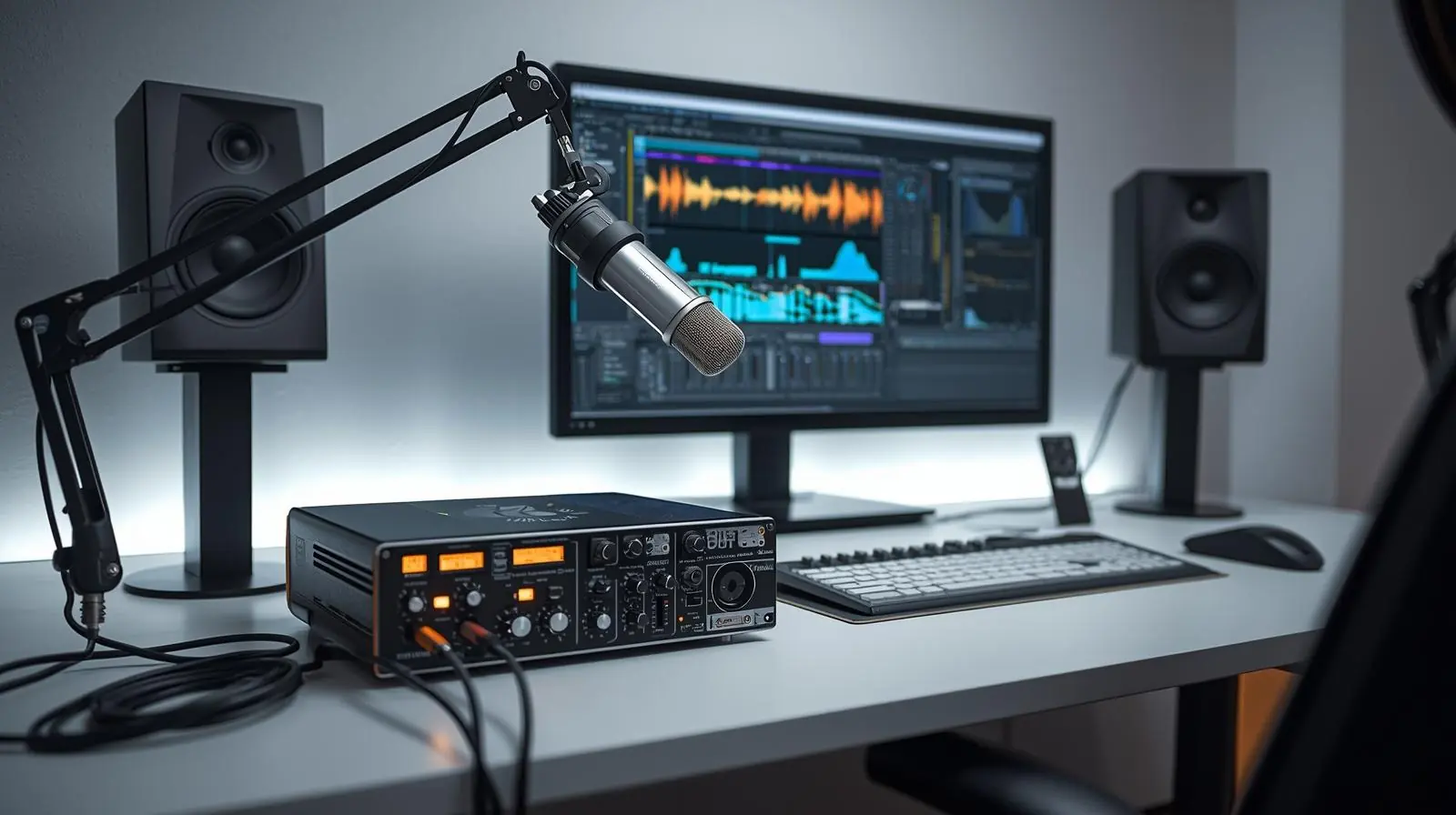
In the world of music production and recording, achieving a professional sound requires more than just a good microphone or a high-end computer. Two of the most essential components that shape the quality of your audio are preamps and audio interfaces. These devices sit at the heart of every studio setup, bridging the gap between the analog and digital worlds.
Whether you are a music producer, sound engineer, podcaster, or voice-over artist, understanding how preamps and interfaces work can make a significant difference in your recordings. This guide explains their functions, differences, and how to choose the right gear for your specific needs.
A microphone preamp (or mic pre) is an electronic amplifier that boosts the very quiet signal coming from a microphone to a stronger level known as line level. This signal is what your audio interface, mixer, or recording device can work with effectively.
When you plug a microphone directly into an audio interface, the built-in preamps handle this amplification. However, professional studios often use dedicated external preamps because they provide more control, better sound quality, and unique tonal characteristics.

Key characteristics of preamps include:
Gain and headroom: The amount of amplification the preamp can provide and how well it handles peaks without distortion.
Noise floor: The amount of unwanted noise the preamp introduces into the signal.
Tone coloration: Some preamps add warmth and saturation, while others are designed to be completely transparent.
Phantom power: Required for condenser microphones, typically supplied at +48 volts.
Input types: Microphone (XLR), instrument (Hi-Z), or line inputs.
Preamps play a major role in shaping your overall sound. A clean preamp delivers clarity and precision, while a colored preamp can add character and harmonic richness.
An audio interface is the hardware that connects your microphones, instruments, and speakers to your computer. It converts analog audio signals into digital data (A/D conversion) and back into analog form for playback (D/A conversion).
In simple terms, the audio interface is the bridge between your studio hardware and your digital audio workstation (DAW). Without it, your computer cannot process or record professional-level audio signals.

Core functions of an audio interface:
Analog to Digital Conversion (A/D): Converts the analog sound waves into digital signals for recording.
Digital to Analog Conversion (D/A): Converts digital audio back to analog for monitoring.
Connectivity: Provides input and output (I/O) options like XLR, TRS, MIDI, or optical ports.
Monitoring: Enables real-time headphone or speaker monitoring with minimal delay.
Latency management: Reduces the delay between the sound being played and heard.
Software control: Some interfaces offer routing software for signal management and customization.
While most interfaces include built-in preamps, professionals often combine them with standalone preamps to achieve higher-quality results.
Choosing the right preamp or interface requires understanding certain technical specifications. These parameters determine how your recordings will sound and how efficiently your system will run.
Sample Rate: Refers to how many times per second an audio signal is sampled. Common rates are 44.1 kHz, 48 kHz, 96 kHz, and higher. A higher sample rate can capture more detail and frequency information.
Bit Depth: Refers to how much dynamic range the system can record. A 24-bit system provides significantly more detail than 16-bit, offering cleaner recordings and less noise.
Dynamic Range: The difference between the quietest and loudest sounds the system can reproduce without distortion.
Signal-to-Noise Ratio (SNR): Compares the desired signal to background noise. A higher SNR means a cleaner signal.
Latency: The time delay between when a signal is input (for example, when you sing into a mic) and when it is heard through your monitors or headphones. Low latency is essential for live recording and monitoring.
Buffer Size: Determines how much audio the system processes at once. A smaller buffer reduces latency but increases CPU load, while a larger buffer provides more stability.
Total Harmonic Distortion (THD): Indicates how much harmonic distortion the device introduces. Lower values mean cleaner sound.
Headroom: The amount of level a system can handle before distortion occurs. More headroom allows for better control of loud peaks.

Selecting professional audio gear depends on your workflow, recording needs, and future expansion plans.
Before buying, answer the following questions:
How many sources will you record simultaneously?
Do you need mobile recording capability or a studio-based setup?
What type of microphones or instruments will you be using?
How much control do you need over tone and coloration?
What connection types does your computer support (USB, Thunderbolt, PCIe)?
Understanding these factors will help narrow down your options.
When comparing different models, consider:
Sound quality: Look for clean conversion, wide dynamic range, and low noise.
Driver stability: Reliable drivers are critical for smooth performance and low latency.
Monitoring options: Direct monitoring helps avoid delay during recording.
I/O count: Ensure enough inputs and outputs for your workflow.
Expandability: Some interfaces allow you to add extra preamps or digital inputs later.
Build quality: Durable construction ensures longevity, especially for mobile setups.
In many professional setups, engineers use an interface with line-level inputs and connect high-quality external preamps for added control. This combination lets you choose the sound character of your preamp while maintaining reliable digital conversion.
Example setup:
Microphone → External Preamp → Interface Line Input → DAW

This approach is ideal if you want to use different preamp tones for vocals, guitars, or percussion. Always ensure your external preamp’s output matches the interface’s input specifications for optimal signal flow.
While models vary widely, interfaces typically fall into three main categories:
Entry-Level Interfaces:
Ideal for home studios and beginners.
Usually 2–4 inputs and basic monitoring features.
Affordable and easy to use.
Mid-Range Interfaces:
Offer more inputs and outputs, better preamps, and advanced software.
Suitable for semi-professional setups and producers who record multiple instruments.
Professional Interfaces:
Designed for commercial studios.
Include high-end converters, ultra-low latency, and advanced digital expansion (ADAT, word clock).
Often rack-mounted and built for heavy use.
Just like interfaces, preamps come in several types based on design and sound character:
Transparent Preamps:
Deliver a clean, accurate sound with minimal coloration.
Ideal for classical recordings or any situation where fidelity is key.
Colored Preamps:
Add warmth, saturation, and harmonics for a more vintage tone.
Popular for vocals, guitars, and analog-inspired productions.
Tube Preamps:
Use vacuum tubes for natural compression and smooth harmonic distortion.
Excellent for adding musical warmth and roundness.
Solid-State Preamps:
Provide fast response and clarity.
Known for low noise and consistent performance.
Channel Strips:
Combine a preamp with EQ and compression for flexible control in one unit.
Use balanced cables (XLR or TRS) to minimize noise and interference.
Pay attention to gain staging to avoid clipping or distortion.
Keep your signal chain clean and use high-quality cables.
Monitor levels carefully and aim for healthy input levels without redlining.
Update your firmware and drivers regularly to ensure compatibility.
Use proper grounding and power conditioning to prevent hum and buzz.
Label your interface channels in your DAW for easier routing.
A typical professional recording chain includes:
Microphone → Preamplifier → Audio Interface → Computer (DAW) → Monitors/Headphones
Each stage affects your final sound quality. Investing in a reliable preamp and interface ensures that your audio signals remain clean, consistent, and accurate from start to finish.
Professional audio equipment is the foundation of high-quality recording and production. Preamps and interfaces may not be as flashy as microphones or speakers, but they have a greater impact on the sound than most realize. A well-chosen preamp gives your recordings warmth, presence, and detail, while a capable interface ensures precise conversion, low latency, and reliable performance.
Before purchasing, define your recording needs, understand your workflow, and choose gear that supports your growth as an engineer or musician.

If you are setting up your first studio or upgrading your current rig, investing in a great preamp and interface is the smartest decision you can make for professional, studio-grade results.
Start with the essentials, learn how they shape your sound, and build your studio around reliable, high-quality gear. Your recordings will thank you.
We are proud of the quality of service we provide for all orders and questions from customers. Our customer care team's combined experience and skills, together with our wide choice of products and quick order fulfilment, have helped us establish a solid reputation for providing excellent customer support & service.
Any Query Related Sales
09:00AM to 06:00PM
We welcome comments and feedback about how easy you find the Media k Solutions website to use, which can be communicated by clicking on the Contact Page. If you have questions about delivery, products, service or anything else for that matter, please contact us via live-chat, during office hours, email or telephone. Thanks

 en-gb
en-gb Germany